Current presence
Check-ins end. Face cards carry a freshness time and are designed to disappear from active discovery when the relevant timer ends.
Safety Center
Rouna combines temporary presence, mutual acceptance, blocking, reporting, and human moderation. Here is what those controls do—and what they cannot promise.
Check-ins end. Face cards carry a freshness time and are designed to disappear from active discovery when the relevant timer ends.
A private chat opens after a Hi is accepted. Passing does not create a conversation, and unavailable people cannot be invited into a group.
Blocking removes the two accounts from one another’s discovery and shared social surfaces. Unblocking does not silently restore a previous group membership.
Reports may include relevant profile, face-card, group, and conversation evidence in restricted storage so a human operator can evaluate the context.
Controls within reach
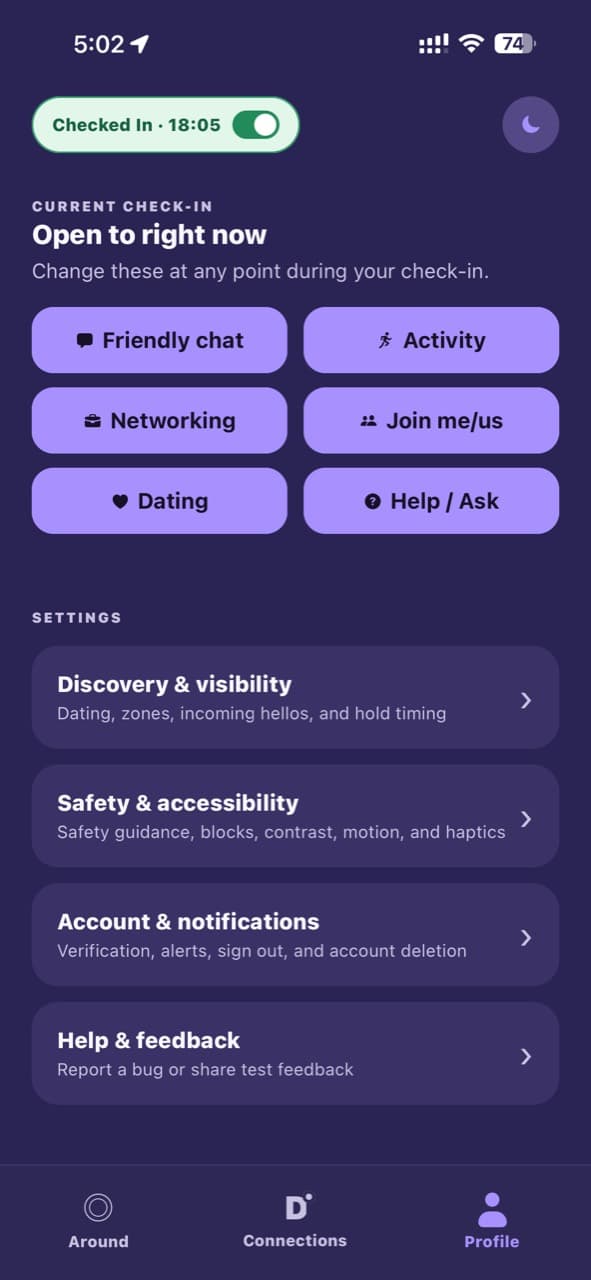
Discovery and visibility, safety and accessibility, account controls, notifications, help, and feedback all live together under Profile.
Changing your connection intents or checking out is available from the same surface.
If something happens
Leave the interaction. End the chat, leave the group, or check out if you want to disappear from discovery.
Block for a boundary. Use block when you do not want further contact or visibility between the accounts.
Report for review. Choose the clearest reason and add useful context. Do not fabricate evidence as a joke or test.
If you or someone else is in immediate danger, leave the situation and contact local emergency services. Do not wait for an in-app report response.
Understand the standards we enforce and how evidence is handled.